Talk2Graph: chat with your graph
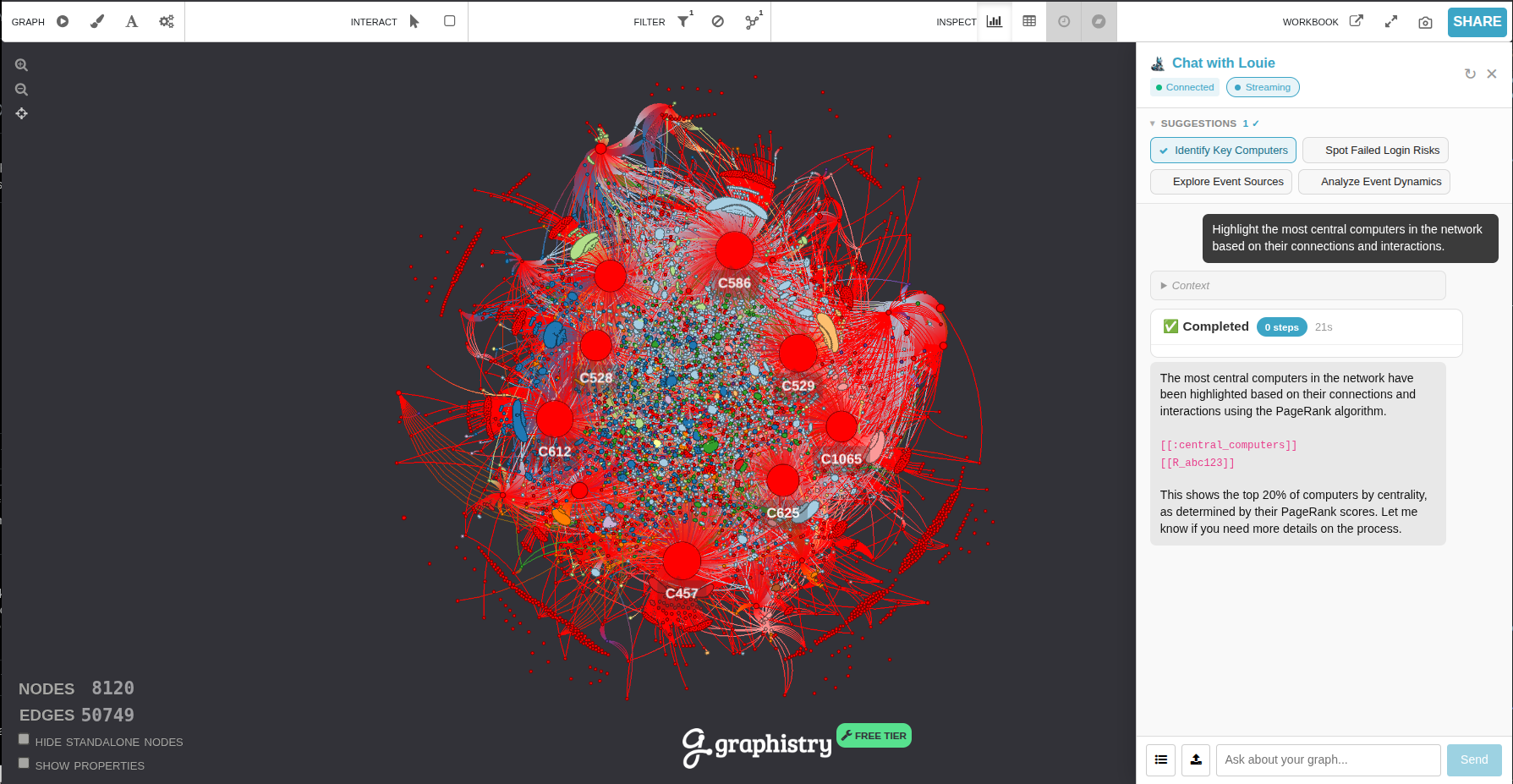
Talk2Graph is an AI chat panel built into the Graphistry visualization. Instead of hunting through menus, you describe what you want in plain language — Highlight the most central assets or What communities are in this graph? — and Talk2Graph carries it out on the live graph in front of you: coloring subsets, running filters and traversals, and detecting communities.
How it works
When you send a message, it goes to Louie, Graphistry's AI agent. Louie interprets your request, writes the underlying graph query, and calls tools that run inside the visualization server. Those tools update the graph you are looking at in real time. You never have to write a query yourself — and when Louie references the query it ran, it's highlighted as inline code, so you can see what happened and refine it.
In short: you describe, Louie translates, the graph responds. The assistant is a graph manipulation helper — it changes how you see your data. It is deliberately not a report generator (see What to expect below).
Touring the panel
Open Talk2Graph from the floating chat button on the visualization (the Louie icon).
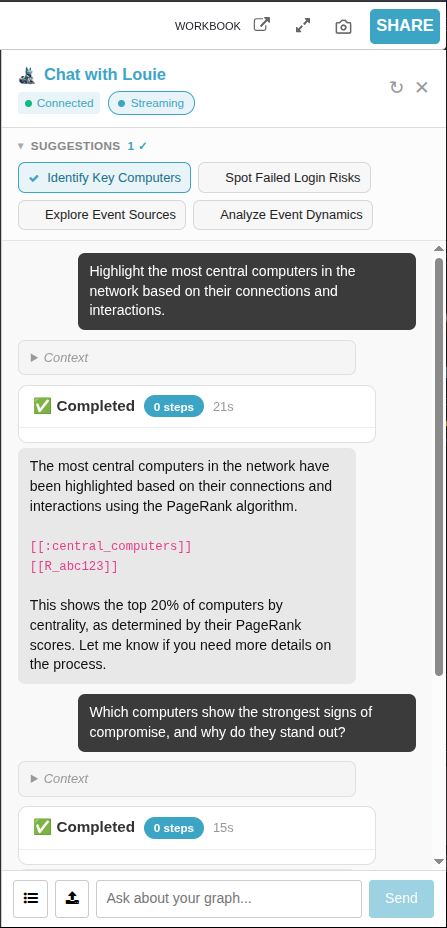
The panel has a few parts worth knowing:
| Element | What it does |
| Connection badge | Shows whether the assistant is reachable — Connecting…, Connected (green), or Disconnected (red). |
| Starter chips | Before you type anything, the panel suggests a handful of ready-to-run prompts tailored to your graph's columns. Click one to run it. |
| Message box | Type your request. Enter sends; Shift+Enter adds a newline. |
| Run card | While the assistant works, a card shows each step it takes and a running timer. Long queries can take a minute or two. |
| Streaming toggle | When on, the assistant's reasoning expands live in a collapsible “Thinking…” block. Turn it off for just the answer. |
| Stop | Cancels a response that is still generating. |
| Clear conversation | Starts a fresh conversation. This does not undo changes already made to the graph — to remove colorings, ask to reset the colors. |
| Skills | Attach a Markdown “skill” file, or browse skills shared across your organization, to give the assistant extra domain instructions. |
What you can do
At a high level, Talk2Graph can:
- Explain the graph — node/edge counts, available columns, what the data looks like.
- Find and filter — show, list, or count nodes and edges matching a description, including multi-hop traversals ("everything reachable from account X").
- Color and highlight — paint any subset a color, including "the most influential nodes" without you naming an algorithm. These colored subsets are called collections.
- Detect communities — run community detection and summarize what makes each cluster distinct.
- Manage what's on screen — list, rename, recolor, reorder, delete individual colorings, or reset everything.
For concrete phrasing, see Example prompts. For the full list of what the assistant can do and the query language underneath, see the Reference.
What to expect (and what not to)
Talk2Graph is tuned to be a fast, focused graph assistant. That shapes how it responds:
- Answers are short. It replies in a sentence or two and confirms actions in one line ("Done — colored nodes by threat_score").
- It manipulates the graph; it does not write reports. It will not produce multi-section investigation write-ups, verdicts, or confidence scores. The graph is the analysis — the assistant's job is to shape what you see so you can read it yourself. It may add one short sentence interpreting a result you just retrieved, but it will not speculate beyond the data.
- It stays grounded in your data. It only uses columns that actually exist in your graph, and it works on the specific session you have open.
- It is not a general search engine. If it doesn't know something, it says so briefly rather than guessing.
Next steps
- Example prompts — what to type, organized by task.
- Collections — coloring, palettes, layering, and managing highlights.
- Reference — every capability and the GFQL query language.